The play guide
How to play Best Teacher
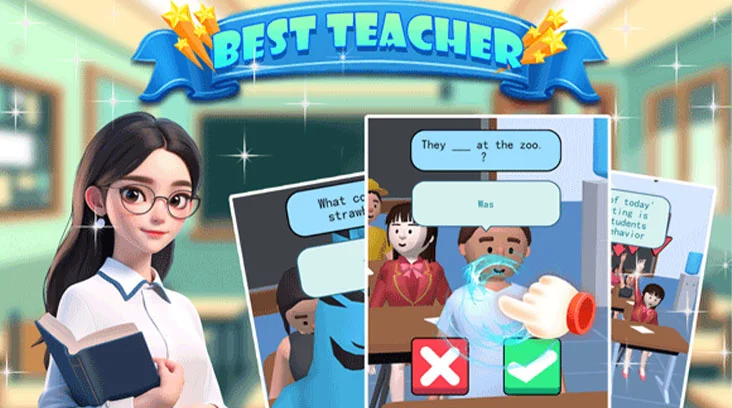
Your main classroom task is evaluating answers. Correct judgments fill the session progress bar, while mistakes reduce it. The school menus add enrollment and scheduling decisions between these short quiz sessions.
Your goal
Make enough correct judgments to complete the lesson and develop the school.
Controls
Click or tap to choose a teacher, start a lesson and select a student with a raised hand. Use the green checkmark for a correct answer and the red X for an incorrect one.
Your first round
- Choose a teacher and start the scheduled class.
- Ask a question, then select a student who raises a hand.
- Evaluate the response and choose the matching judgment button.
This guide is based on the supplied game instructions.
Tips for your next attempt
- Read the question as well as the response before judging; a confident-looking student can still be wrong.
- Check the course schedule between sessions so you know which subject the next class will cover.
Watch out for
- Tapping the checkmark without reading can penalize the progress bar even when a student seems certain.
Something not working?
Tell us the game name, your device and what happened at qian@minigame.com.